UI review
Screenshot-based notes on the current storefront visual direction and decisions for the next design pass.
UI review
This report captures the current storefront direction from a design perspective. It is meant to support visual decisions, not finalize the interface.
Fumadocs can render images in MDX with normal Markdown image syntax. These screenshots live in the docs app public folder and are embedded directly in this page.
Current impression
The storefront is dark, image-led, and intentionally retail-focused. It feels closer to a late-night product wall than a generic ecommerce template.
That direction is working. The strongest parts are:
- large product imagery
- fixed navigation with quick cart access
- dense inventory details close to the buying surface
- purple used as an accent instead of the whole interface
- product detail pages that already feel more like commerce than marketing
The main design risk is that atmospheric category imagery can become too repetitive. The current purple smoke image creates mood, but it does not always show the exact product being sold. For production, the strongest mix is likely real product photos, edited store photos, and a smaller set of category placeholders only where real images are missing.
Homepage desktop
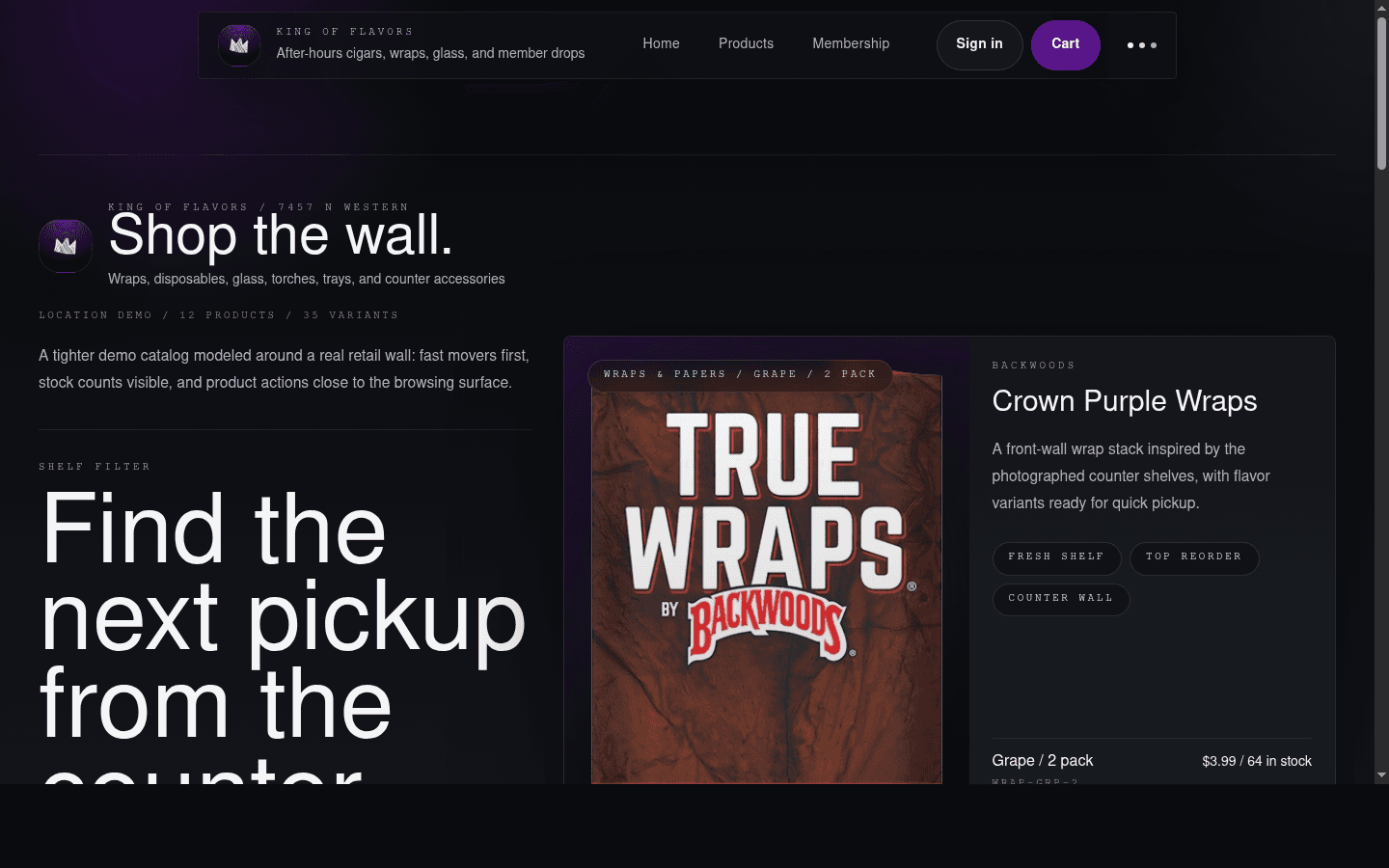
What is working
The homepage has a strong first impression. The large headline, fixed nav, and featured product card make the site feel custom instead of template-driven.
The featured product card has useful commerce details:
- category
- variant names
- prices
- stock counts
- product tags
That is the right direction for a store where shoppers may already know what they want.
What needs a decision
The first desktop view is still more editorial than transactional. The headline is very large, and the add-to-cart area sits low enough that it is not visible in the captured first viewport.
For a more product-focused pass, reduce the headline footprint or move the featured card higher so the first screen shows a product action sooner.
Homepage mobile
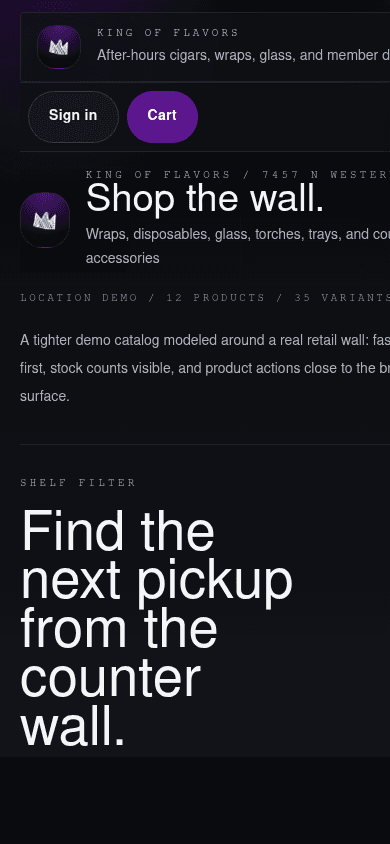
What is working
The mobile page keeps the same brand mood and gives shoppers immediate cart access. The filter buttons are large enough to tap, and the “Browse full catalog” and “Review cart” actions are clear.
What needs a decision
The mobile header is trying to carry too much information. The brand subtitle is clipped, and the top area feels wide for the viewport.
The mobile first screen is also mostly text and filters. The first product image begins lower on the page. If the goal is product-first mobile shopping, the next pass should:
- shorten the mobile header
- reduce the mobile hero copy
- bring the first product image and add-to-cart path higher
- make shelf filters feel intentionally scrollable or wrap more cleanly
Product index desktop
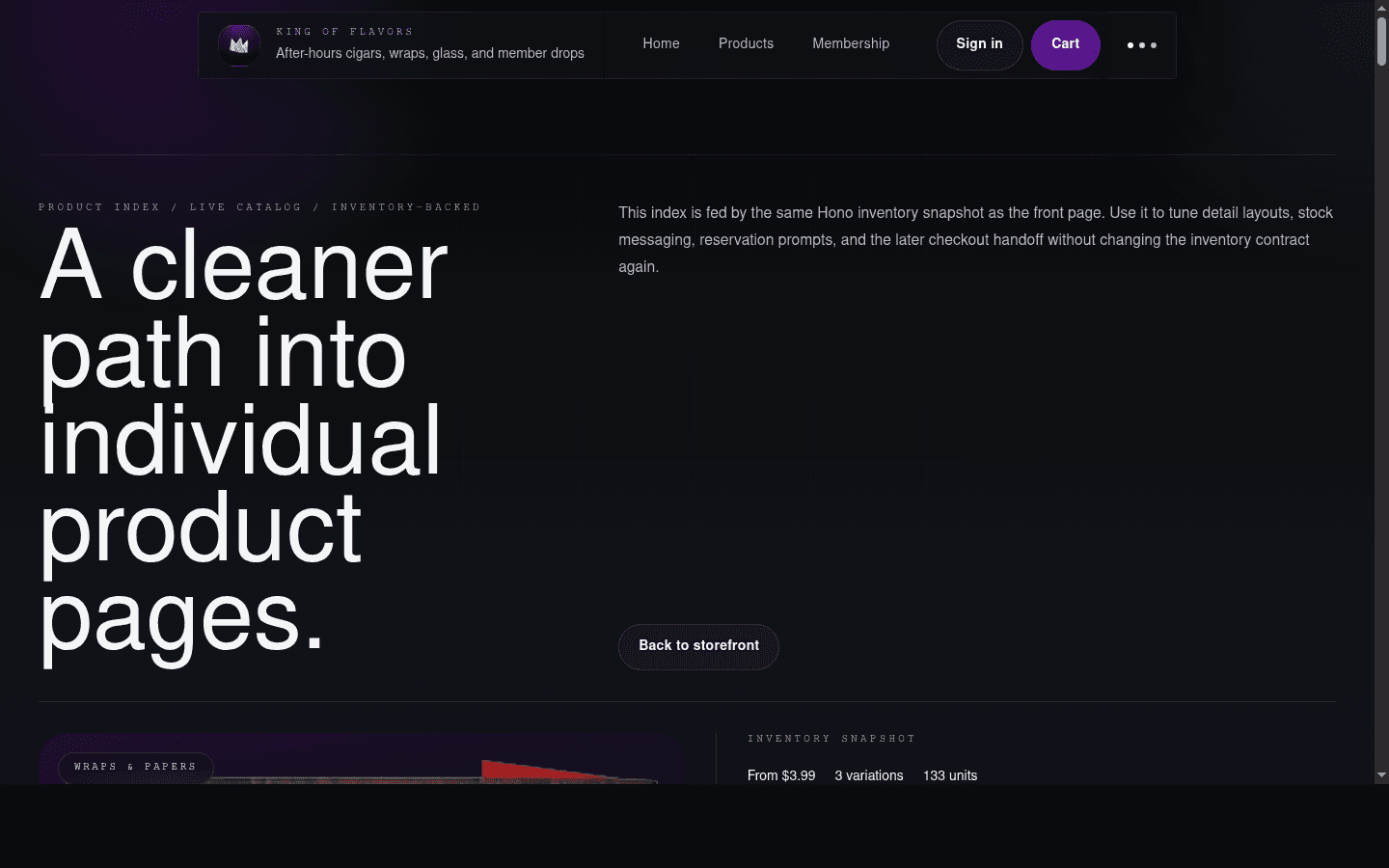
What is working
The product index has a clear purpose: it is a bridge from the homepage into individual product pages. The layout is calmer than the homepage and explains that the index is inventory-backed.
The product cards carry real inventory concepts instead of generic gallery content:
- variation count
- units available
- starting price
- detail page link
What needs a decision
The product index headline is very large for a catalog page. It gives the page personality, but it delays the product grid.
For a production catalog, consider making this screen denser:
- smaller page heading
- visible category controls near the top
- product rows or cards earlier in the viewport
- optional search once inventory grows
Product detail desktop
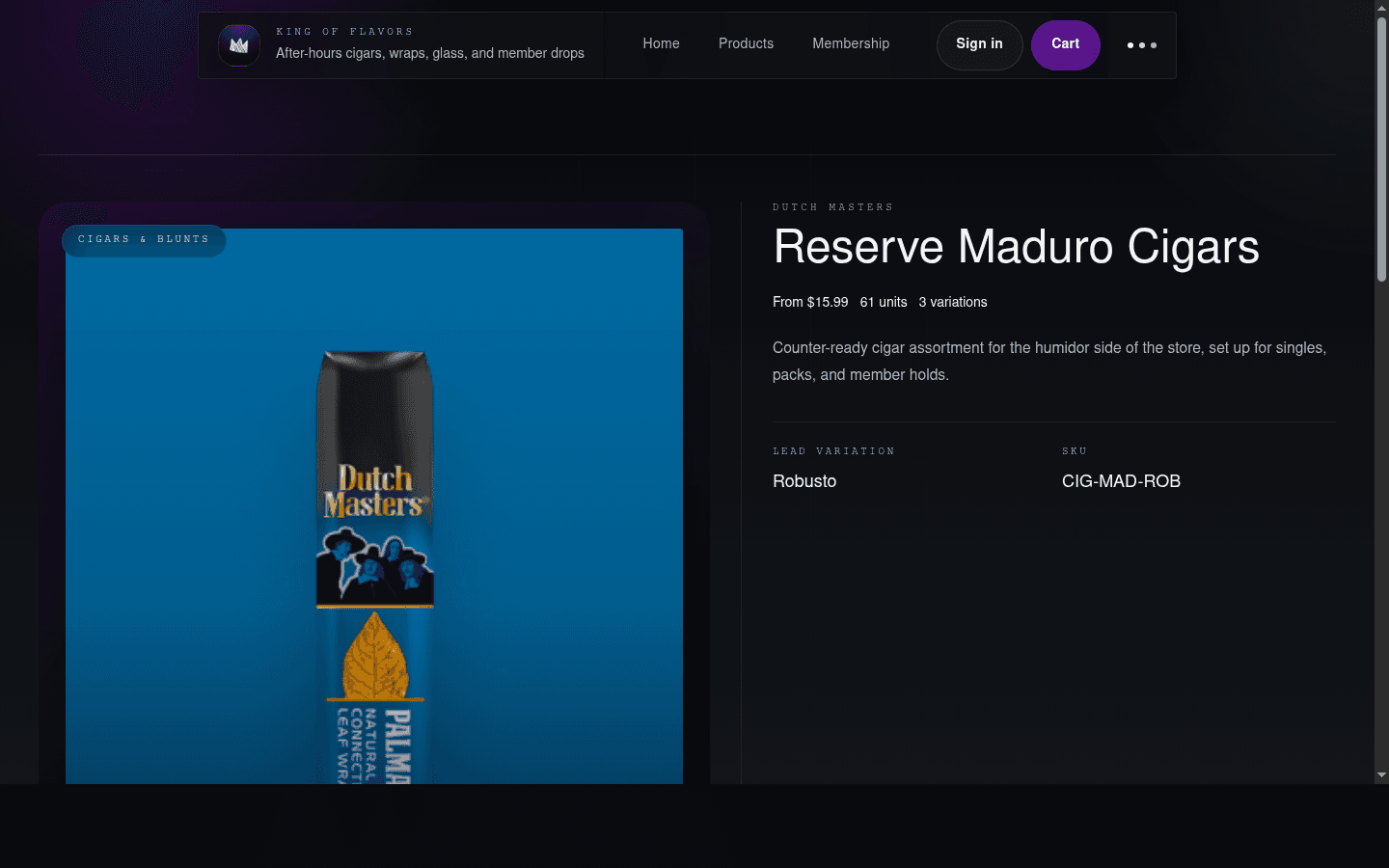
What is working
This is the strongest current commerce screen. The product image is recognizable, the category is clear, and the variant table makes the page feel like a real inventory surface.
The CTAs are in the right family:
- add to cart
- request member pricing
- back to products
The page also avoids hiding the details behind tabs, which is good for fast retail browsing.
What needs a decision
The right side has a large quiet area between the lead variation and the action buttons. That gives the page a premium feel, but it may be too spacious for repeat shoppers.
The next pass should decide whether product detail pages should feel:
- premium and spacious
- dense and operational
- somewhere between, with the first variant and add-to-cart action higher
Image strategy
The current UI is image-heavy, which fits the store. The production question is what kind of image should do each job.
Recommended image roles:
- Hero and store context: edited real store photos.
- Category cards: recognizable category photos, not only abstract smoke.
- Product cards: real product or distributor images when available.
- Missing products: polished generated or styled placeholders.
- Member/rewards pages: low-image, more utility-focused.
The real store interior photo is useful, but it should probably be edited before becoming a hero. It can work well in a pickup/context section because it shows the actual wall, counter, signage, and store density.
Design decisions for next pass
- Should the homepage stay dramatic, or should it show product actions sooner?
- Should product images be exact SKU images wherever possible?
- How much real store photography should appear in the public site?
- Should the product index become denser and more filter-oriented?
- Should mobile prioritize product cards above brand copy?
- Should member and checkout screens stay quieter than the storefront?
Recommended next UI pass
The next visual pass should focus on three things:
- Tighten the mobile header and first viewport.
- Bring purchase actions higher on the homepage.
- Replace repeated mood imagery with more product-specific photos where possible.
That preserves the current dark, image-led direction while making the storefront feel more immediately useful to shoppers.